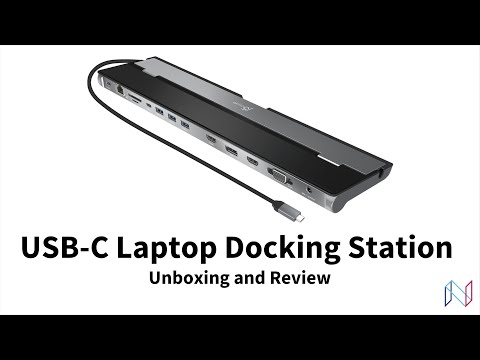
The JCD543 is a triple display docking station best suited for users who wish to make the most out of their multi-display setup. With one DisplayPort output and two HDMI outputs, the JCD543 USB-C docking station supports support up to 4K (3840 x 2160) resolution on two displays and 1080p on a third.
If you are interested in learning more about this laptop docking station, please visit:
Chapters
0:00 Introduction
0:55 Unboxing
2:00 Display ports
3:25 Audio in/out port
4:17 USB ports
5:00 Ethernet and SD card ports
5:21 Design and quality
5:50 Driver requirement for display ports
7:24 Driver download demo
8:07 USB-C cable
9:08 Final thoughts and recap

Curious why no one actually shows how to connect the two displays to this device. All the videos like this only focus on this device and the one foot cord and downloading the driver. Super strange not to show how to connect the 2 monitors to it. Suggestion – show how to use the full device….would be MUCH more helpful.
UPDATE: I purchased the triple docking station and about 3 weeks in, one of the HDMI ports stopped working.
i have the j5 dock at work.. it sucks
Great video, super watchable to the end. is bro getting paid though?